Microlearning authoring with AI: bite-sized lessons that stick
There's a pattern that comes up constantly in workplace training: someone builds a comprehensive, well-structured course. It covers everything. It takes 90 minutes to complete. Nobody finishes it.
The training team wonders what went wrong. The answer is usually not the content — it's the format.
People don't learn well in 90-minute blocks, especially not at work. Attention drifts. Notifications compete. The course gets bookmarked, then forgotten. Meanwhile, the gap between what people know and what they need to know stays open.
Microlearning is the practical response to this reality.
What microlearning actually is
Microlearning isn't just "short videos" or "bite-sized content" — though those can be part of it. It's a design principle: structure learning around single, specific skills or concepts, make each unit completeable in 3–10 minutes, and focus on immediate application.
A good microlearning unit answers one question. It doesn't try to be comprehensive. It doesn't include background context that isn't directly relevant. It gets in, delivers one actionable thing, and gets out.
This sounds simple. In practice it's harder than building long-form courses, because it requires ruthless prioritisation. Every sentence has to earn its place. There's no room to hedge or over-explain.
That difficulty is exactly why AI changes the equation.
The authoring problem with microlearning at scale
A single microlearning unit is easy enough to build. The challenge is that effective microlearning programmes are made of many units — often 20, 40, or more, covering different aspects of a topic in a structured sequence.
Building that manually is a significant undertaking, even with modern authoring tools. You need to:
- Break a topic into discrete, non-overlapping skills
- Write focused content for each one (no padding, no repetition)
- Create scenarios and questions that test application, not recall
- Keep a consistent voice and structure across all units
For a single course developer, this is weeks of work. For a non-specialist — an HR manager, a compliance officer, an operations lead — it's often simply not feasible.
Where AI actually helps
AI doesn't replace judgment in course design. It does remove the parts that take the most time without requiring much judgment: generating the first draft, turning a policy document into lesson content, writing scenario-based questions, and filling in explanatory text.
In practice, this means:
Faster breakdowns. Given a topic or a source document, AI can quickly suggest how to break it into microlearning units — which skills are discrete enough to stand alone, what sequence makes sense, where prerequisites exist.
Draft content in minutes. Instead of staring at a blank page for each 5-minute lesson, you start with a draft that covers the key point. Your job shifts from writing to editing — which is significantly faster.
Better scenarios. The hardest part of microlearning isn't the explanatory content — it's writing realistic scenarios that put the learner in a situation where they have to apply what they've just learned. AI is genuinely good at generating first drafts of these.
Consistency across units. When you're building 30 units, keeping the tone and structure consistent is surprisingly hard. Working with AI helps maintain that consistency without having to manually check each unit against the others.
What this looks like in practice
Imagine you're an HR manager who needs to train 50 people on updated data handling procedures. Previously your options were: write a long document, run a meeting, or commission a course that would take months to develop.
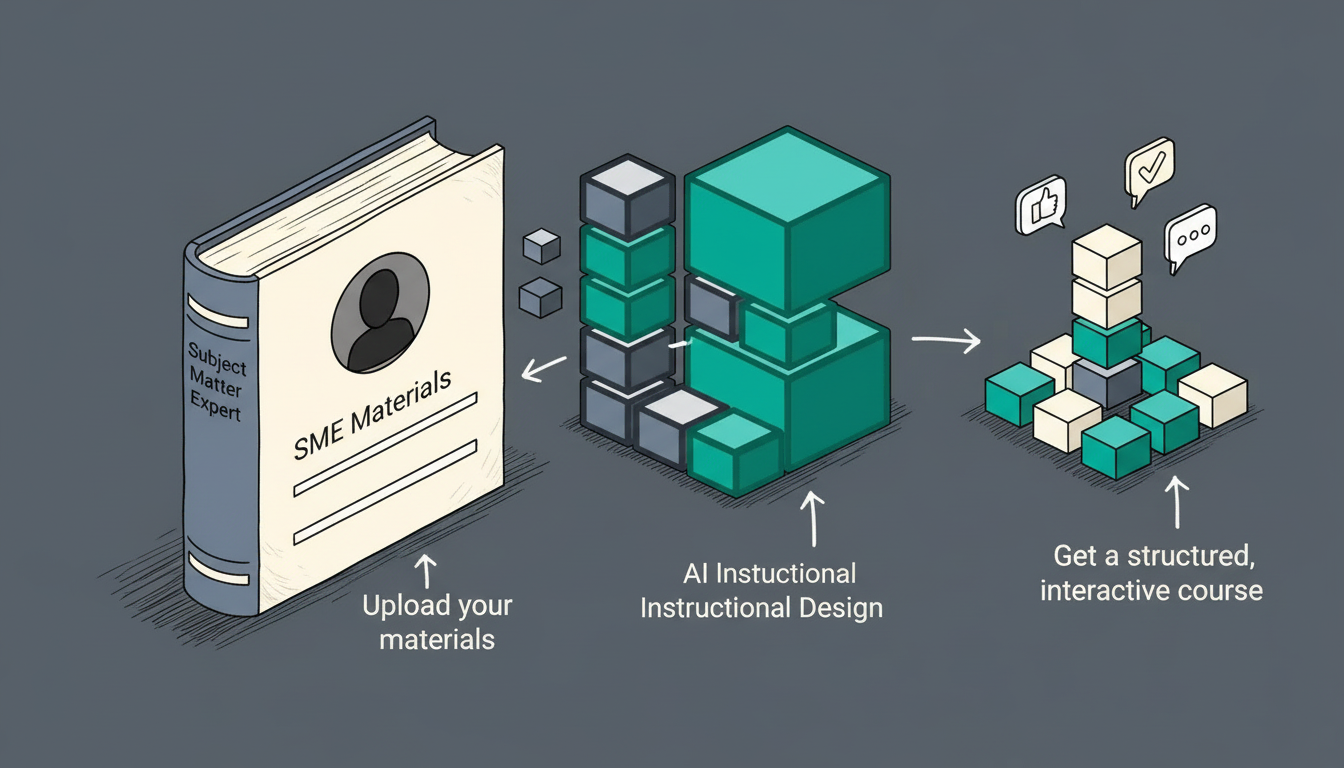
With an AI-assisted authoring tool, a realistic workflow looks like this:
- Paste in the relevant policy sections
- Get a suggested breakdown of 8–12 microlearning units covering distinct aspects of the policy
- Review and edit the draft content for each unit (15–20 minutes per unit)
- Add a short scenario question to each unit
- Publish
The whole process — for a substantive topic — can happen in an afternoon. The result isn't a document people skim. It's a structured learning experience they can complete in short sessions, on whatever device they have available.
The design principles that still matter
AI handles speed and volume. The judgment calls are still yours:
One skill per unit. Resist the temptation to combine related concepts. If a learner needs to do two things differently after this unit, split it into two units.
Application, not information. Information transfers in documents. Learning happens through application. Every microlearning unit should end with a scenario or decision point — not just a summary.
No dead content. In a 5-minute unit, every sentence matters. If a sentence doesn't directly support the learning objective, cut it. AI-generated drafts often need editing with this in mind.
Sequence deliberately. Microlearning works best when units build on each other. Foundational concepts first, application later, edge cases at the end.
Who this is for
Microlearning with AI authoring isn't primarily for large L&D teams who already have mature processes and professional tools. They'll adopt it too, but it's most transformative for people who currently don't create structured learning content — because the time and skill barriers previously made it impractical.
HR managers, compliance leads, operations teams, customer success managers, technical trainers without a design background: these are the people who have knowledge that needs to be learned, but who've never had a realistic path to turning it into genuine training.
That path now exists.
LearnBuilder is built for exactly this — fast, AI-assisted microlearning authoring that produces interactive, trackable courses without requiring an instructional design background. Try it free →