Built around the problems instructional designers actually face
LearnBuilder combines AI-powered content creation with interactive learning experiences that make knowledge stick.
AI that understands instructional design — not just content generation
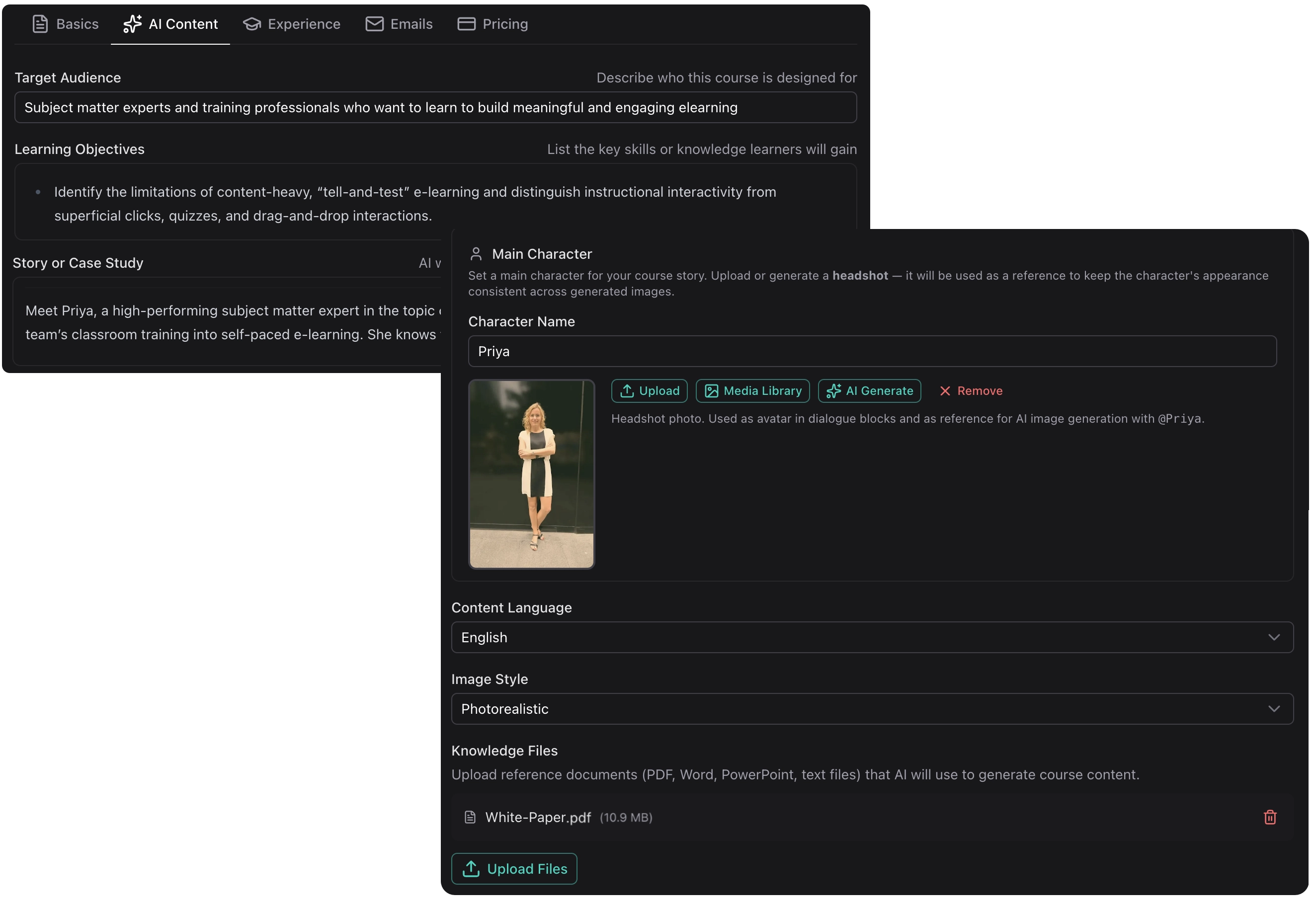
Our AI understands instructional design principles and generates structured, pedagogically sound content from your input.
- Automatic lesson sequencing based on learning progression
- AI-generated images that match your content
- Extract key concepts from your existing materials
- Intuitive block editor for fine-tuning
Beyond static content
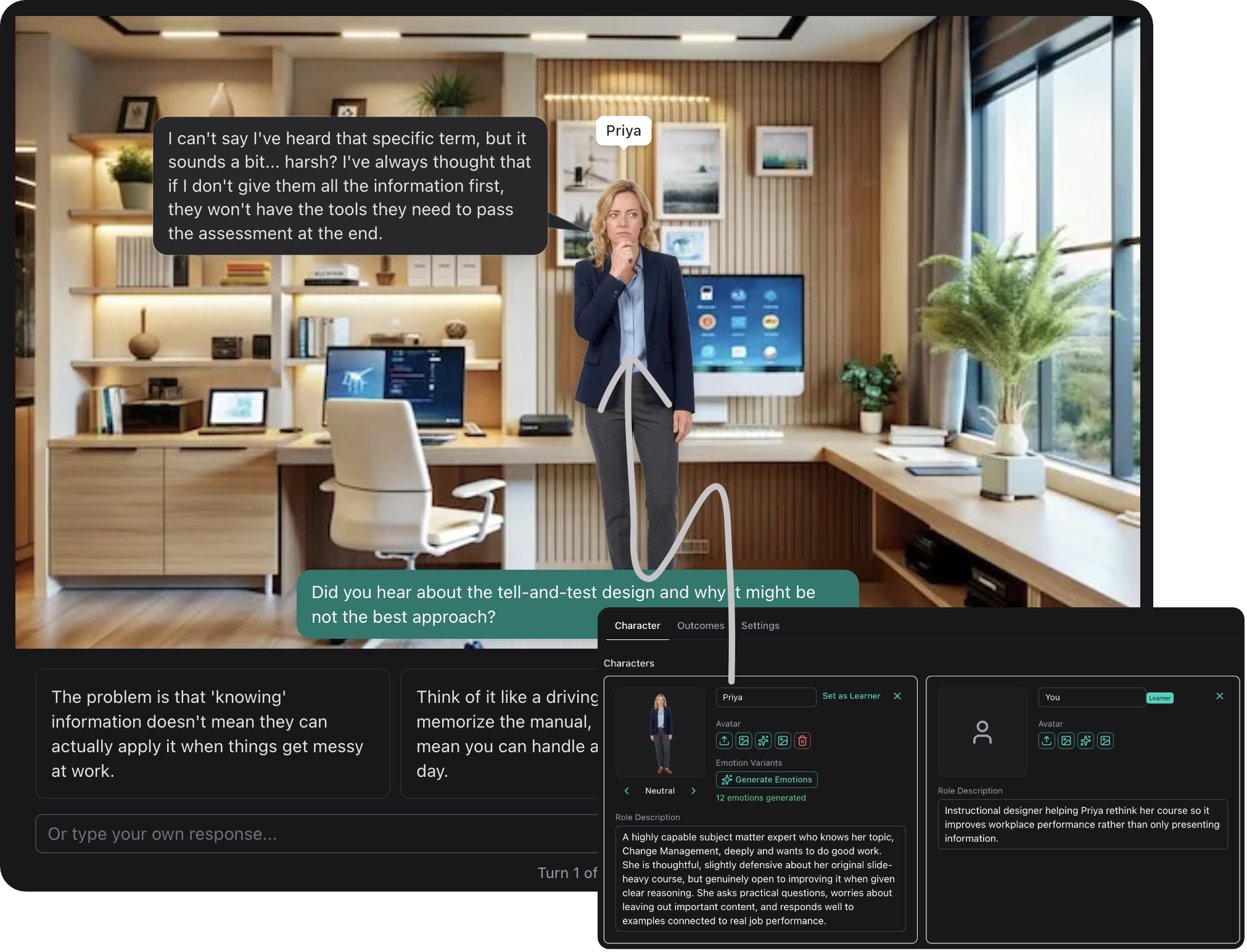
Building realistic branching in traditional tools takes days — and learners still learn the pattern, not the skill. LearnBuilder's AI Dialogue is genuinely adaptive: the AI plays a character and responds to what the learner actually says. No branching logic. No scripted paths.
- Sales practice: AI plays a sceptical customer
- Difficult conversations: HR scenarios, conflict resolution
- Compliance: Decision-making under realistic pressure
Block-based speed meets canvas freedom
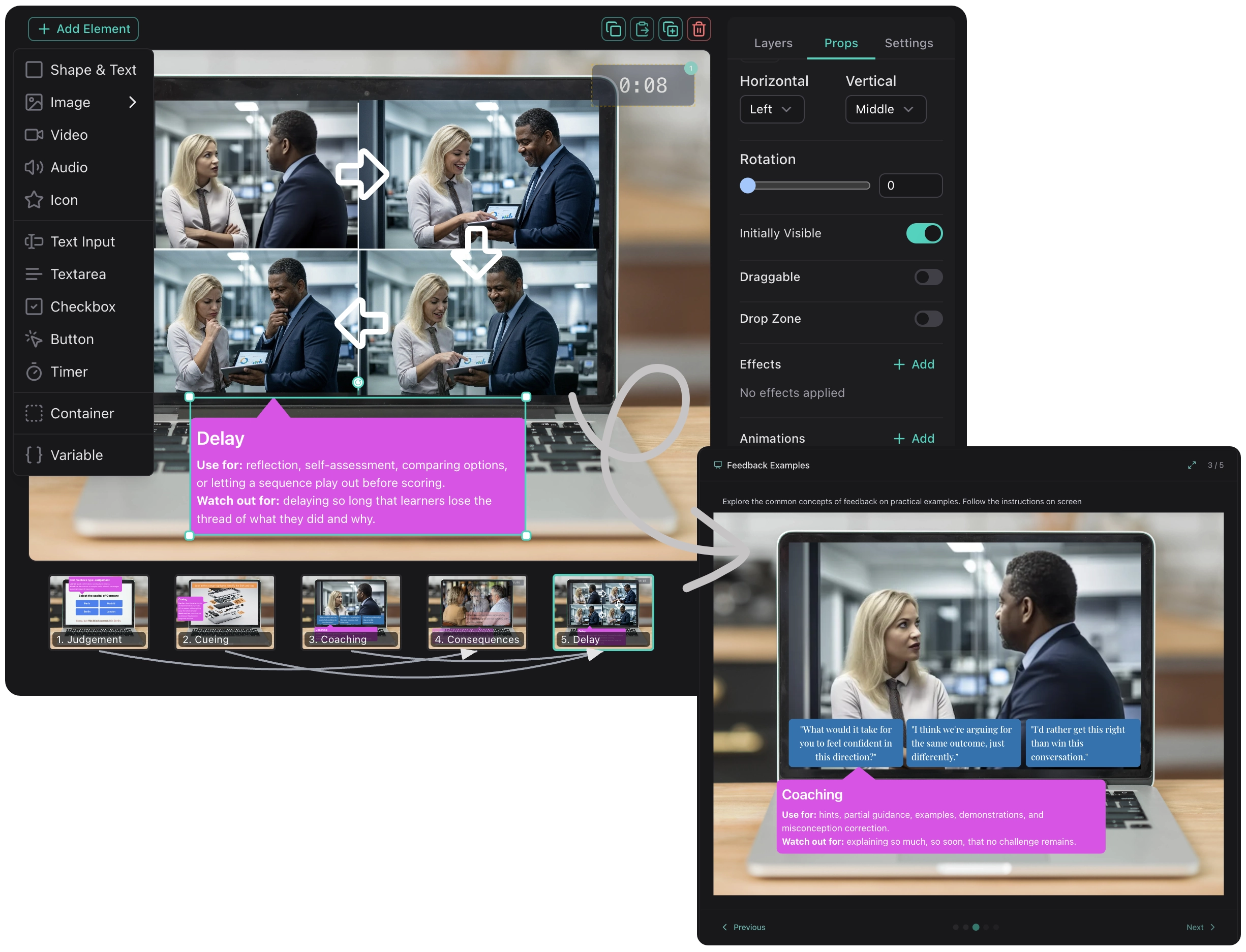
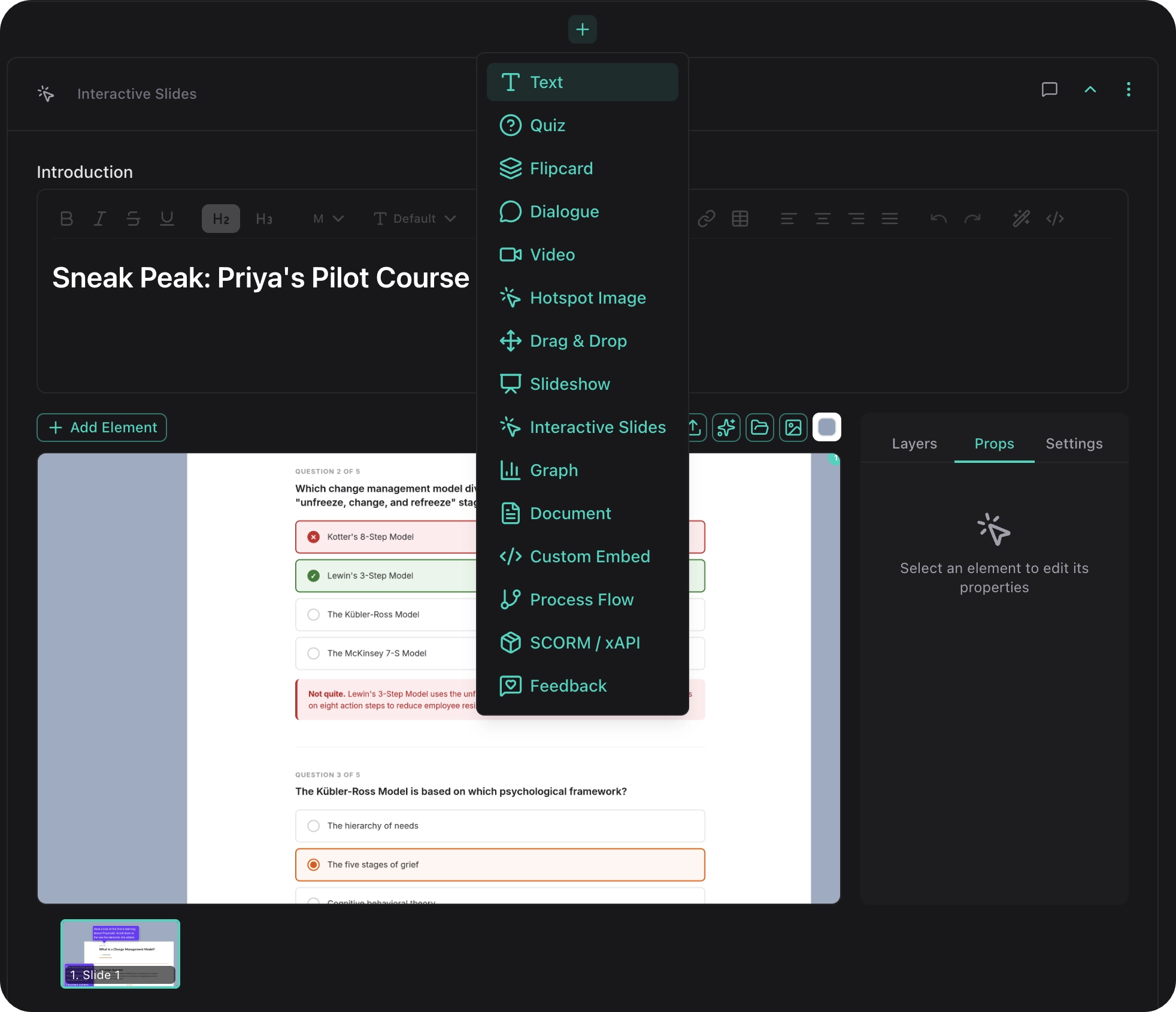
LearnBuilder gives you the best of both worlds: block-based editing for quick, responsive content — and Interactive Slides when you need full creative control. Place text, images, shapes, videos, and buttons anywhere on a canvas. Add a trigger→action system to show, hide, or animate elements on click, hover, or timer.
- Process diagrams with reveal-on-click steps
- Labelling exercises with drag-and-drop
- Scenario walkthroughs with branching navigation
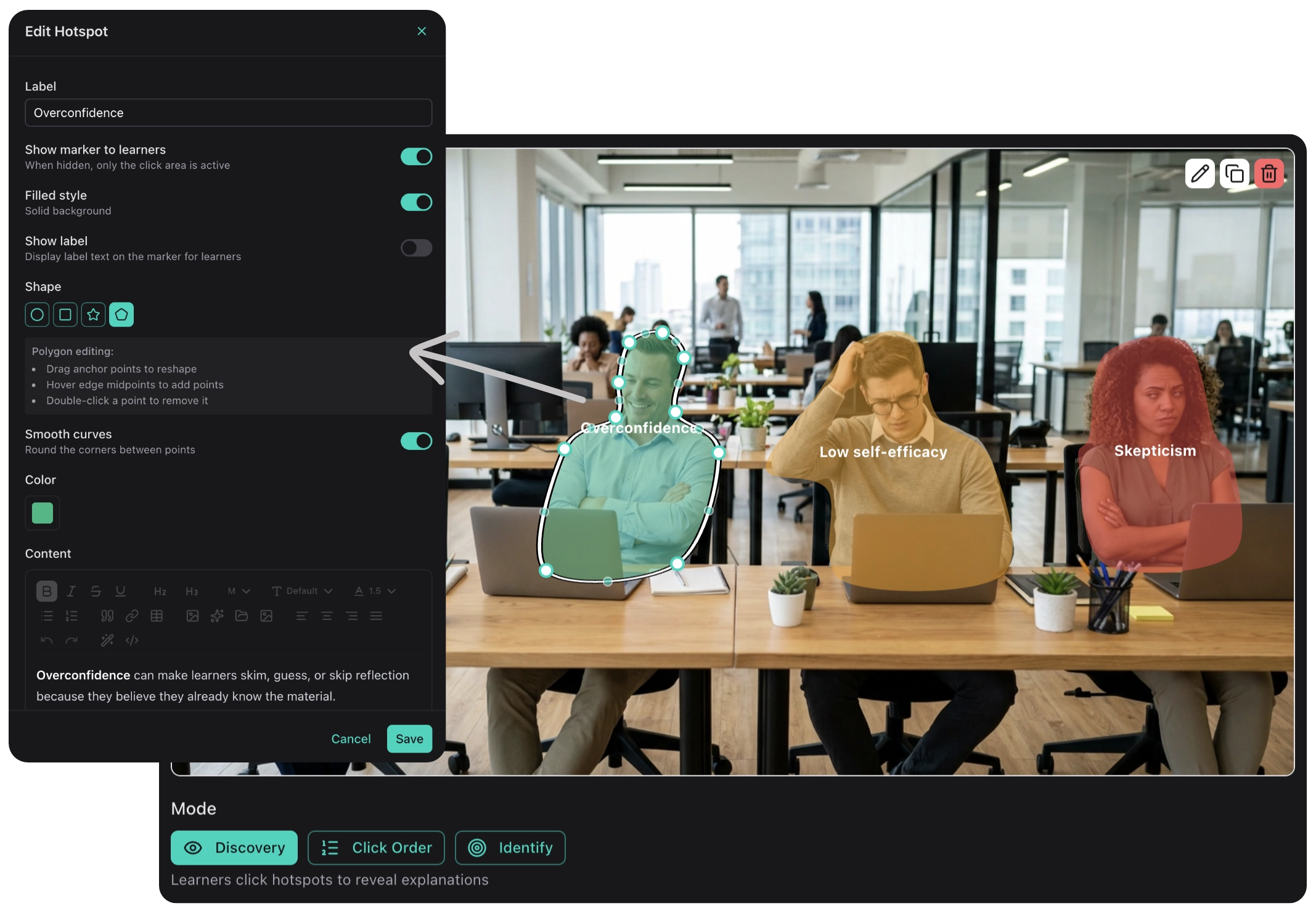
Discovery-based learning with hotspot images
Add clickable hotspots in any shape to images for discovery-based learning. Learners explore diagrams, equipment, or processes at their own pace.
- Equipment familiarization
- Anatomy and diagrams
- Software interface tours
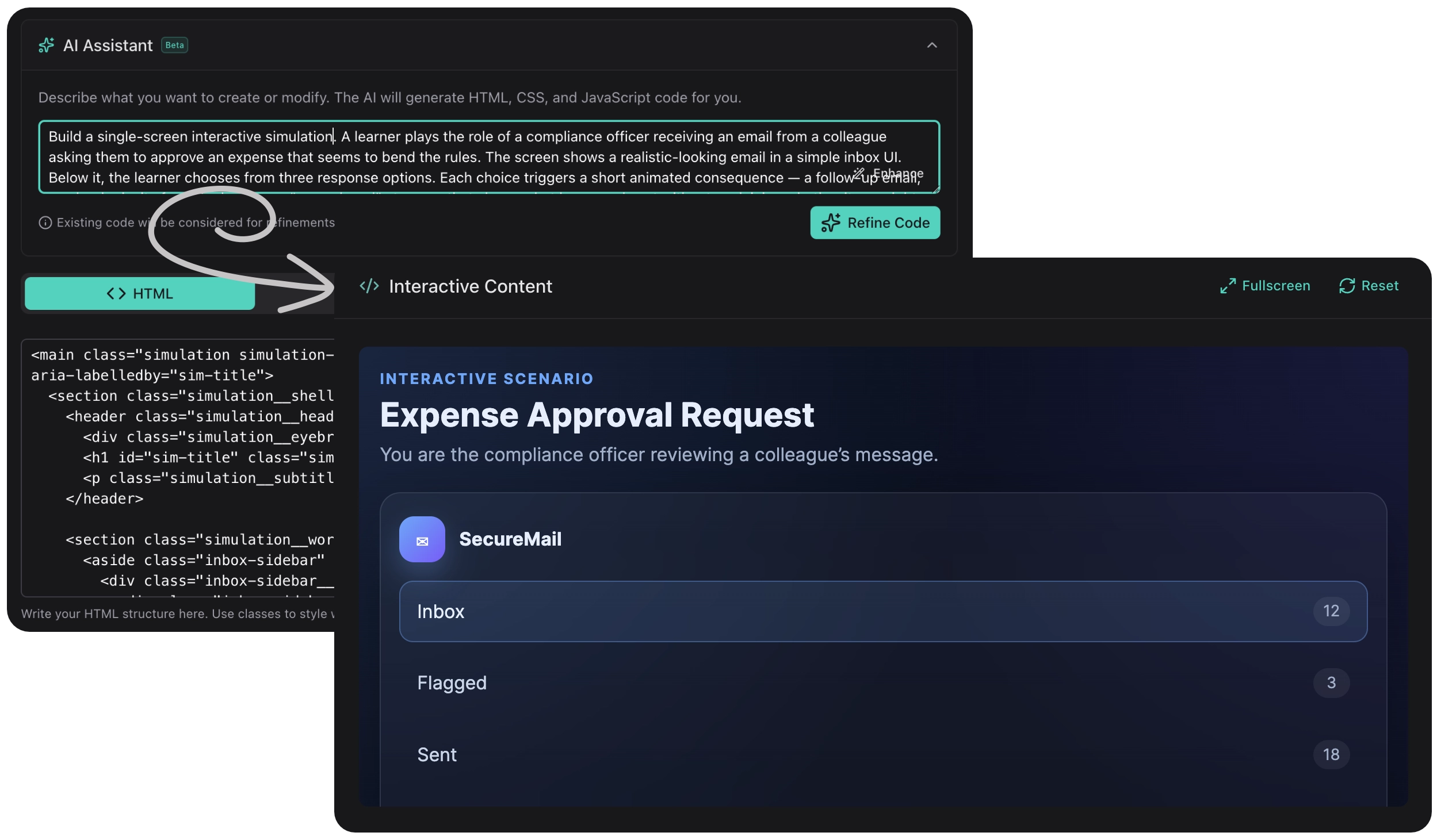
Build anything with code — or let AI build it for you
Need something LearnBuilder doesn't have? The Custom Embed block lets you add any HTML, CSS, and JavaScript — with a built-in AI coding assistant that writes the code for you. Describe what you want, and the agent builds it.
- Custom calculators and interactive tools
- Embedded third-party widgets and simulations
- Data visualizations and animated infographics
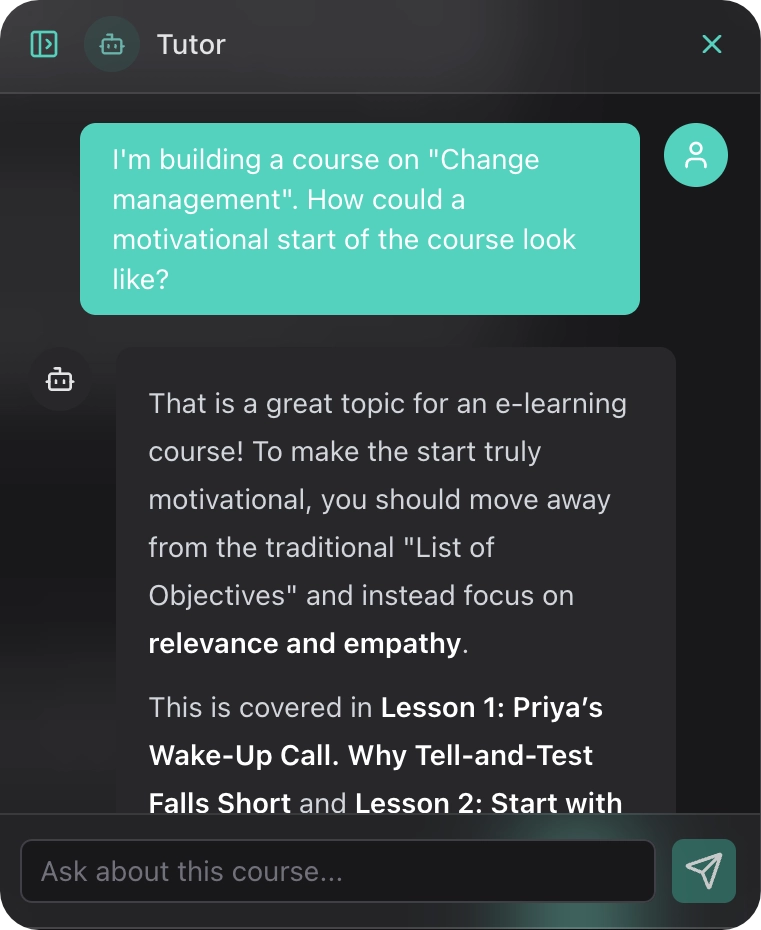
Learner support that doesn't hallucinate
Learners always have questions your course didn't anticipate — especially "how does this apply to my situation?" LearnBuilder's AI Tutor answers those questions grounded exclusively in your course content and knowledge files. It refers learners to specific lessons rather than generating unreliable answers. Scoped, trustworthy, always available.
- Learners can ask questions about the course material and get instant, contextual answers.
- The tutor can break down complex topics in different ways until the learner understands.
- The tutor is scoped to your course content, keeping discussions focused and relevant.
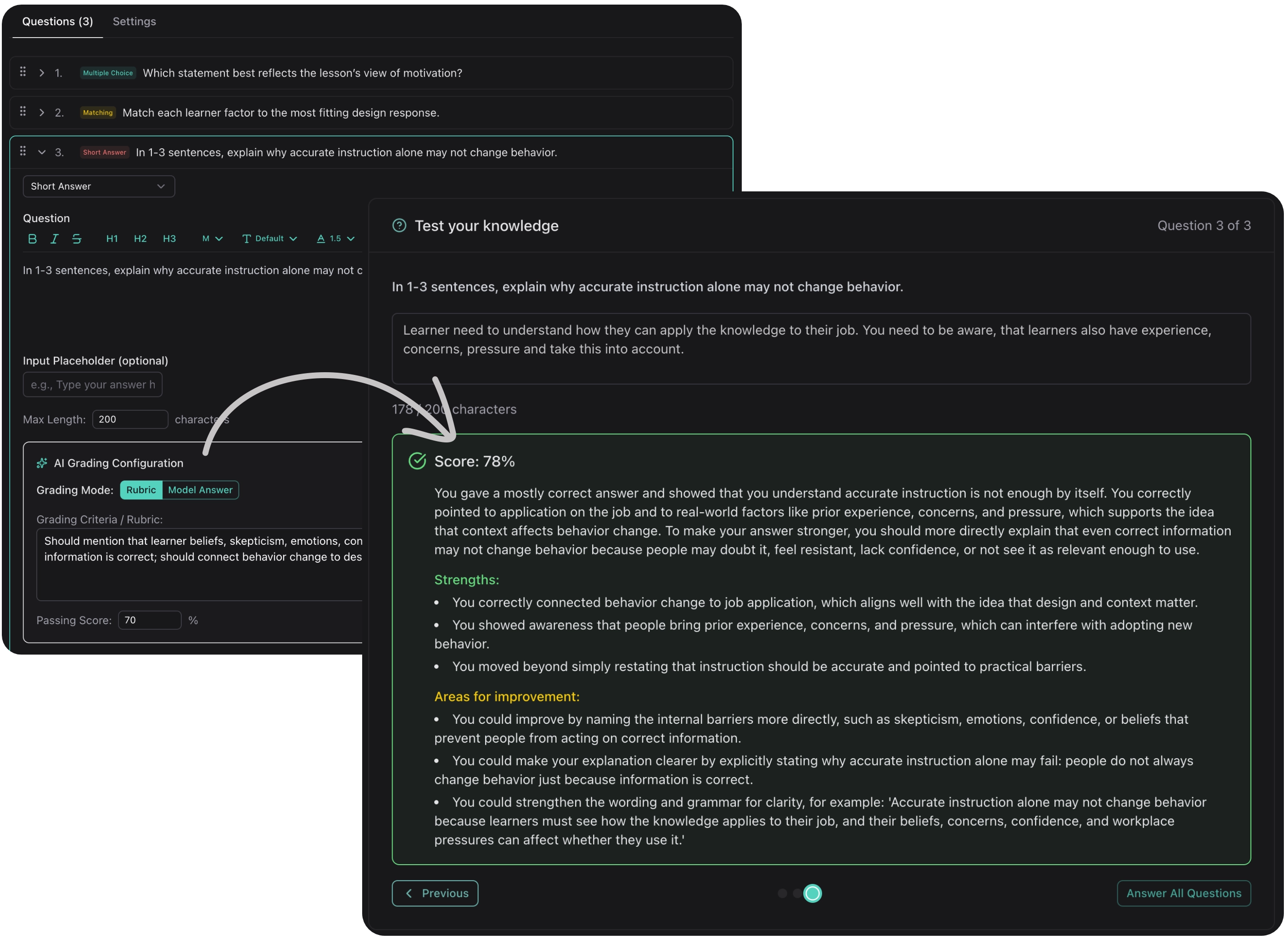
Feedback that scales
Most courses use multiple choice not because it's the best assessment method, but because it's the only one that scales. LearnBuilder's AI grader changes that. Submit an essay, an open question, or a scenario response — the AI evaluates it against your criteria and gives every learner individual, specific feedback.
- AI-powered essay and short answer evaluation
- Configurable grading criteria and rubrics
- Dedicated model selection for assessment tasks
Flexible content building
Compose lessons using a variety of content blocks. Mix and match to create the perfect learning experience.
- Rich Text
- Quizzes, Flashcards, Sorting
- Video with interactive cuepoints
- Accordion
Beyond static content
Create immersive learning experiences with interactive elements that engage learners and reinforce understanding.
AI Dialogue
Building realistic branching in traditional tools takes days — and learners still learn the pattern, not the skill. LearnBuilder's AI Dialogue is genuinely adaptive: the AI plays a character and responds to what the learner actually says. No branching logic. No scripted paths.
Example uses:
- • Sales practice: AI plays a sceptical customer
- • Difficult conversations: HR scenarios, conflict resolution
- • Compliance: Decision-making under realistic pressure
Hotspot Images
Add clickable hotspots in any shape to images for discovery-based learning. Learners explore diagrams, equipment, or processes at their own pace.
Example uses:
- • Equipment familiarization
- • Anatomy and diagrams
- • Software interface tours
Interactive Slides
LearnBuilder gives you the best of both worlds: block-based editing for quick, responsive content — and Interactive Slides when you need full creative control. Place text, images, shapes, videos, and buttons anywhere on a canvas. Add a trigger→action system to show, hide, or animate elements on click, hover, or timer.
Example uses:
- • Process diagrams with reveal-on-click steps
- • Labelling exercises with drag-and-drop
- • Scenario walkthroughs with branching navigation
Custom Embed & Code
Need something LearnBuilder doesn't have? The Custom Embed block lets you add any HTML, CSS, and JavaScript — with a built-in AI coding assistant that writes the code for you. Describe what you want, and the agent builds it.
Example uses:
- • Custom calculators and interactive tools
- • Embedded third-party widgets and simulations
- • Data visualizations and animated infographics
Learner support that doesn't hallucinate
Learners always have questions your course didn't anticipate — especially "how does this apply to my situation?" LearnBuilder's AI Tutor answers those questions grounded exclusively in your course content and knowledge files. It refers learners to specific lessons rather than generating unreliable answers. Scoped, trustworthy, always available.
Answer questions
Learners can ask questions about the course material and get instant, contextual answers.
Explain concepts
The tutor can break down complex topics in different ways until the learner understands.
Stay on topic
The tutor is scoped to your course content, keeping discussions focused and relevant.
How can I apply the customer segmentation framework to my small online shop?
Great question! For a small online shop, start by segmenting your customers by purchase frequency and average order value. This gives you four groups: loyal high-spenders, frequent bargain buyers, occasional browsers, and one-time purchasers. Tailor your email campaigns to each group. See → Lesson 3: Segmentation Models for the framework and → Lesson 5: Campaign Design for practical templates.
Flexible content building
Compose lessons using a variety of content blocks. Mix and match to create the perfect learning experience.
Rich Text
Formatted text with headings, lists, and emphasis.
Images
Upload images or generate them with AI.
Video
Embed videos from YouTube, Vimeo, or upload directly. Add cuepoints with text, quizzes, or shapes at any timestamp.
Quizzes
Multiple choice, true/false, and more.
Flashcards
Flip cards for memorization and review.
Sorting
Drag-and-drop ordering exercises.
Matching
Connect related items or concepts.
Accordion
Expandable sections for organized content.
Work together without the file-sharing chaos
Most authoring tools treat collaboration as an afterthought — you export, email, and hope nobody overwrites each other's work. LearnBuilder supports real-time simultaneous editing, down to the block level.
Review & Comments
Invite reviewers to add comments directly on individual blocks. Streamline your review process with contextual feedback right where it matters.
- Block-level comments and discussions
- Reviewer role with dedicated permissions
- Track and resolve feedback in-context
One-Click AI Translation
Translate your entire course into any language with a single click. AI preserves formatting, context, and instructional intent across all block types.
- Translate all content including quizzes and dialogues
- Preserves formatting and interactive elements
- Supports any target language
Sell your courses online
Turn your expertise into revenue with built-in payment processing and flexible pricing options.
Unlimited learners on every paid plan
We believe education should be accessible. That's why we never limit the number of learners on any paid plan — scale your training to as many people as you need.
Paid Courses
Set a price for your courses and accept payments directly through LearnBuilder. Stripe integration handles everything from checkout to payouts.
- Flexible pricing in multiple currencies
- Secure Stripe checkout and automatic payouts
- Free, paid, and password-protected course options
Learner Management
Control access to your courses with registration settings, enrollment tracking, and purchase management — all from your dashboard.
- Open registration or approval-based enrollment
- Track purchases, enrollments, and completions
- Course invitations and enrollment passwords
Choose the right AI for every task
Pick from leading AI providers and models for content creation, image generation, and automated grading — optimizing for quality, speed, or cost.
Content Creation Models
Select your preferred AI model for generating course outlines, lesson text, quizzes, and dialogues. Switch between providers like OpenAI, Anthropic, Google, and more.
- Choose from 50+ models across major providers
- Optimize for quality, speed, or cost per task
- Bring your own API key or use included credits
- EU-hosted AI models available for GDPR compliance
Image & Media Generation
Generate images for your courses using AI. Choose from different image models to match your visual style and quality requirements.
- Multiple image generation providers
- AI-generated illustrations and diagrams
- Text-to-speech with selectable voices
Feedback that scales
Most courses use multiple choice not because it's the best assessment method, but because it's the only one that scales. LearnBuilder's AI grader changes that. Submit an essay, an open question, or a scenario response — the AI evaluates it against your criteria and gives every learner individual, specific feedback.
- AI-powered essay and short answer evaluation
- Configurable grading criteria and rubrics
- Dedicated model selection for assessment tasks
Share your courses anywhere
Launch your courses directly on LearnBuilder, export to your LMS, or integrate via LTI.
Host on LearnBuilder
Publish directly and share a link with your learners. No additional hosting or LMS required.
- Custom branding with your logo and colors
- Learner registration and progress tracking
- Completion certificates
SCORM & xAPI Export
Export your courses as SCORM or xAPI packages for use in any compatible LMS like Moodle, Canvas, or corporate learning platforms.
- SCORM 1.2, SCORM 2004 and xAPI support
- Progress and completion tracking
- Works with your existing infrastructure
LTI Integration
Connect LearnBuilder directly to your LMS via LTI. Learners access courses seamlessly without leaving their learning platform.
- LTI 1.1 and 1.3 support
- Automatic grade passback
- Single sign-on for learners
Your content, your format
LearnBuilder courses are stored as open JSON — not a proprietary format that disappears if you cancel. Export as SCORM 1.2, SCORM 2004, or xAPI. Embed your existing SCORM content as blocks. Import PowerPoint slides as interactive slideshows. Your existing work isn't wasted.
How LearnBuilder Compares
Other tools charge per learner, per author, or lock you into annual contracts. LearnBuilder keeps it simple: monthly plans, unlimited learners, and author seats included from the smallest package.
| LearnBuilder | Articulate Rise | Coursebox | iSpring Suite | |
|---|---|---|---|---|
| Pricing | ||||
| Free plan available | ||||
| Unlimited learners (paid plans) | ||||
| No per-learner fees | ||||
| AI & Learning | ||||
| AI course generation | ⚠️ Partial | |||
| AI quiz grading & feedback | ||||
| Interactive AI dialogues | ||||
| One-click AI translation | ||||
| Authoring | ||||
| Drag & drop authoring | ||||
| Interactive slideshows | ||||
| Paid course sales | ||||
| Reviewer comments on blocks | ||||
| Compliance & Branding | ||||
| SCORM / xAPI export | ||||
| LTI integration | ||||
| Custom branding | ||||
| Own domain support | ||||
| GDPR-compliant hosting (EU) | ||||
Data based on publicly available feature lists as of March 2025.
Articulate Rise AI features require a separate Articulate AI subscription.
Ready to create your first course?
Start with our free plan and experience the power of AI-assisted course creation.